The 10 Best
Laptop Stands
of 2026, researched and compared.
The short answer: The Nulaxy C1 Laptop Stand is our top pick for most people, with tool-free height adjustment and an open aluminum design that helps airflow. For a fixed-height stand with a cleaner look, the Rain Design mStand Laptop Stand is the alternative. Frequent travelers should get the Roost V3 Portable Laptop Stand, which folds down for carrying.
The shortlist
Scan our top 10 picks. Tap a row to jump to the full review, or check the price on Amazon.
Check Amazon for current pricing and availability. As an Amazon Associate we earn from qualifying purchases.
| Product | Best for | ||
|---|---|---|---|
| 01 |  Nulaxy C1 Laptop StandBest Value | Best Value | Check Price |
| 02 |  BoYata N21 Laptop Stand | — | Check Price |
| 03 |  BoYata Push-Button Laptop Stand | — | Check Price |
| 04 | 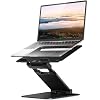 Nulaxy C5 Sit-Stand Laptop Stand | — | Check Price |
| 05 |  Rain Design mStand Laptop StandEditor’s Choice | Editor’s Choice | Check Price |
| 06 |  SOUNDANCE Aluminum Laptop Stand | — | Check Price |
| 07 |  Nulaxy C3 Aluminum Laptop Stand | — | Check Price |
| 08 |  BESIGN LS03 Laptop Stand | — | Check Price |
| 09 |  Twelve South Curve Laptop Stand | — | Check Price |
| 10 |  Roost V3 Portable Laptop StandPremium Pick | Premium Pick | Check Price |
Nulaxy C1 Laptop StandBoYata N21 Laptop StandBoYata Push-Button Laptop StandNulaxy C5 Sit-Stand Laptop StandRain Design mStand Laptop StandSOUNDANCE Aluminum Laptop StandNulaxy C3 Aluminum Laptop StandBESIGN LS03 Laptop StandTwelve South Curve Laptop StandRoost V3 Portable Laptop StandProduct details via Amazon Creators API. Check Amazon for current price and availability.

Review · 01
Nulaxy C1 Laptop Stand
A highly rated dual-shaft aluminum laptop stand with 7-level height adjustment (3.15"–10.6"), built-in heat ventilation, silicone scratch protection, and tool-free adjustment.
What We Love
- 7 height levels via dual shafts
- Aluminum vents heat, silicone protects the laptop
- Tool-free, stable, great value
Reasons to Skip
- Not a sit-to-stand height
- Best with an external keyboard
The Numbers
“A highly rated dual-shaft aluminum laptop stand with 7-level height adjustment (3.15"–10.6"), built-in heat ventilation, silicone scratch protection, and tool-free adjustment.”

Review · 02
BoYata N21 Laptop Stand
A sturdy Z-type alloy-steel stand supporting laptops up to 17", with multi-angle and height adjustment, 360° airflow ventilation, and 4 slide-proof silicone pads.
What We Love
- Heavy, stable Z-type alloy-steel build
- Multi-angle and height adjustment
- Holds laptops up to 17"
Reasons to Skip
- Heavier and less portable
- Premium price for the category
The Numbers
“A sturdy Z-type alloy-steel stand supporting laptops up to 17", with multi-angle and height adjustment, 360° airflow ventilation, and 4 slide-proof silicone pads.”

Review · 03
BoYata Push-Button Laptop Stand
A U-shaped aluminum stand with push-button height adjustment (3.9"–7.4"), dual 3mm metal base plates, 8 rubber pads for grip and scratch protection, and improved airflow.
What We Love
- One-hand push-button height adjust
- Dual 3mm base plates feel rock solid
- U-shape boosts cooling airflow
Reasons to Skip
- Narrower height range than dual-shaft stands
- 11 lb load limit
The Numbers
“A U-shaped aluminum stand with push-button height adjustment (3.9"–7.4"), dual 3mm metal base plates, 8 rubber pads for grip and scratch protection, and improved airflow.”

Review · 04
Nulaxy C5 Sit-Stand Laptop Stand
A versatile sit-to-stand converter adjusting from 1.2" to 20" with a retractable pull handle, aluminum build with ventilation holes, rubber safety edge-stoppers, and a 22 lb capacity.
What We Love
- True sit-to-stand range (1.2"–20")
- Retractable pull handle switches posture fast
- 22 lb capacity, vented aluminum
Reasons to Skip
- Pricier than fixed stands
- No height lock button
The Numbers
“A versatile sit-to-stand converter adjusting from 1.2" to 20" with a retractable pull handle, aluminum build with ventilation holes, rubber safety edge-stoppers, and a 22 lb capacity.”

Review · 05
Rain Design mStand Laptop Stand
A premium single-piece aluminum stand that doubles as a heat sink, raising the screen 5.9" to eye level, with a cable-management hole and a keyboard stash area — a timeless desk design.
What We Love
- Single-piece aluminum doubles as a heat sink
- Raises screen 5.9" to eye level
- Cable hole and keyboard stash, iconic design
Reasons to Skip
- Fixed height, not adjustable
- Sized mainly for MacBooks / ~15" laptops
The Numbers
“A premium single-piece aluminum stand that doubles as a heat sink, raising the screen 5.9" to eye level, with a cable-management hole and a keyboard stash area — a timeless desk design.”

Review · 06
SOUNDANCE Aluminum Laptop Stand
A fixed-height aluminum riser that lifts a 10–15.6 inch laptop about 6 inches toward eye level, with an open frame for airflow and room for a keyboard underneath.
What We Love
- Raises screen about 6 inches
- Thick aluminum, open cooling
- Detachable for storage
Reasons to Skip
- Fixed height, no adjustment
- 8.8 lb capacity
The Numbers
“A fixed-height aluminum riser that lifts a 10–15.6 inch laptop about 6 inches toward eye level, with an open frame for airflow and room for a keyboard underneath.”

Review · 07
Nulaxy C3 Aluminum Laptop Stand
A detachable, fixed-height aluminum laptop riser that raises 10–16 inch laptops to about 7 inches, rated for 22 lbs, with an open design for cooling.
What We Love
- Raises screen about 7 inches
- Rated for up to 22 lbs
- Breaks down for storage
Reasons to Skip
- Fixed height
- Needs an external keyboard
The Numbers
“A detachable, fixed-height aluminum laptop riser that raises 10–16 inch laptops to about 7 inches, rated for 22 lbs, with an open design for cooling.”

Review · 08
BESIGN LS03 Laptop Stand
A budget, detachable aluminum laptop stand that elevates 10–15.6 inch laptops by about 6 inches, folds flat for storage, and keeps an open frame for ventilation.
What We Love
- About 6 inch lift
- Detachable and folds flat
- Low price
Reasons to Skip
- Fixed height
- 8.8 lb capacity
The Numbers
“A budget, detachable aluminum laptop stand that elevates 10–15.6 inch laptops by about 6 inches, folds flat for storage, and keeps an open frame for ventilation.”

Review · 09
Twelve South Curve Laptop Stand
A sculpted aluminum laptop stand that raises your screen 6 inches, keeps air moving underneath, and leaves room for a keyboard — designed with MacBooks in mind.
What We Love
- Raises screen 6 inches
- Open design cools the laptop
- Silicone pads protect the finish
Reasons to Skip
- Fixed height
- Not portable
The Numbers
“A sculpted aluminum laptop stand that raises your screen 6 inches, keeps air moving underneath, and leaves room for a keyboard — designed with MacBooks in mind.”

Review · 10
Roost V3 Portable Laptop Stand
An ultra-portable, height-adjustable laptop stand that folds to a stick and lifts the screen 6.5 to 12.5 inches — the travel pick for working from cafés, hotels, and co-working spaces.
What We Love
- Folds small for travel
- Adjustable 6.5–12.5 inch lift
- Rigid, low-wobble truss frame
Reasons to Skip
- Expensive
- Needs an external keyboard
The Numbers
“An ultra-portable, height-adjustable laptop stand that folds to a stick and lifts the screen 6.5 to 12.5 inches — the travel pick for working from cafés, hotels, and co-working spaces.”
How We Judge Laptop Stands
Fixed Riser vs. Adjustable vs. Sit-to-Stand
Fixed-height stands (like the Rain Design mStand) are rigid and elegant but lock you to one height — ideal if you pair an external keyboard and just want eye-level screen. Adjustable stands tune height and angle for your desk and chair. Sit-to-stand converters raise the laptop from desk level up to ~20 inches so you can alternate sitting and standing. Match the type to whether you want simplicity, flexibility, or standing capability.
Ergonomic Height and External Keyboard
Raising your laptop screen to eye level fixes the neck-craning 'laptop hunch,' but it also lifts the built-in keyboard out of a comfortable typing position. That means a laptop stand works best paired with an external keyboard and mouse. If you won't use external peripherals, a low-angle stand that tilts the laptop slightly is more practical than a tall riser.
Material, Stability, and Cooling
Aluminum stands are sturdy, look premium, and act as a heat sink that helps cool the laptop; plastic stands are lighter and cheaper but can flex. Open or vented designs improve airflow under the laptop, reducing thermal throttling during heavy work. Check the weight capacity and footprint — a wobbly stand under a 16-inch laptop is both annoying and risky.
Portability vs. Desk Permanence
Foldable, lightweight stands slip into a bag for travel and hot-desking but trade away some rigidity. Heavier Z-type or single-piece stands are rock-solid for a permanent desk but stay put. Decide whether you need a travel companion or a fixed home-office anchor; many people own a light foldable one for the bag and a sturdier one for the desk.