The 9 Best
Computer Monitors
of 2026, researched and compared.
The short answer: The LG UltraGear 27GX704A-B is our top pick for anyone who wants one 27-inch QHD OLED for both fast gaming and everyday work. For sharper text on a budget, the Dell 27 Plus 4K Monitor (S2725QS) is the main 4K alternative. Creatives who need color accuracy for less should consider the ASUS ProArt PA278QV 27" WQHD.
The shortlist
Scan our top 9 picks. Tap a row to jump to the full review, or check the price on Amazon.
Check Amazon for current pricing and availability. As an Amazon Associate we earn from qualifying purchases.
| Product | Best for | ||
|---|---|---|---|
| 01 |  LG UltraGear 27GX704A-BEditor’s Choice | Editor’s Choice | Check Price |
| 02 |  Dell 27 Plus 4K Monitor (S2725QS) | — | Check Price |
| 03 | 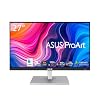 ASUS ProArt PA279CV | — | Check Price |
| 04 |  ASUS ProArt PA278QV 27" WQHDBest Value | Best Value | Check Price |
| 05 |  Acer Nitro KG271U 27" QHD 180Hz | — | Check Price |
| 06 |  Philips 271V8LB 27" FHD 100Hz | — | Check Price |
| 07 |  Dell UltraSharp U2723QE 4KEditor’s Choice | Editor’s Choice | Check Price |
| 08 |  Samsung ViewFinity S8 27" 4K (S80UH) | — | Check Price |
| 09 |  ASUS TUF VG27AQ1A 27" 1440p 170Hz | — | Check Price |
LG UltraGear 27GX704A-BDell 27 Plus 4K Monitor (S2725QS)ASUS ProArt PA279CVASUS ProArt PA278QV 27" WQHDAcer Nitro KG271U 27" QHD 180HzPhilips 271V8LB 27" FHD 100HzDell UltraSharp U2723QE 4KSamsung ViewFinity S8 27" 4K (S80UH)ASUS TUF VG27AQ1A 27" 1440p 170HzProduct details via Amazon Creators API. Check Amazon for current price and availability.

Review · 01
LG UltraGear 27GX704A-B
The LG 27GX704A-B is a 27" QHD OLED gaming monitor with a blistering 240Hz refresh and 0.03ms response — near-instant pixels, perfect blacks, and HDMI 2.1 for PS5/Xbox at full speed.
What We Love
- OLED panel delivers true per-pixel blacks and infinite contrast no IPS monitor can match
- 240Hz at 0.03ms response is effectively blur-free for fast competitive play
- HDMI 2.1 plus DisplayPort with G-Sync Compatible and FreeSync Premium Pro covers PC and console
Reasons to Skip
- QHD (1440p) rather than 4K — sharpness trails 4K panels on large text
- OLED carries some risk of burn-in with static UI over very long sessions
The Numbers
“The LG 27GX704A-B is a 27" QHD OLED gaming monitor with a blistering 240Hz refresh and 0.03ms response — near-instant pixels, perfect blacks, and HDMI 2.1 for PS5/Xbox at full speed.”

Review · 02
Dell 27 Plus 4K Monitor (S2725QS)
A stunning 27" 4K IPS panel with 120Hz, AMD FreeSync Premium, 99% sRGB, ComfortView Plus blue-light reduction, re-engineered speakers, and full ergonomic adjustment — the best all-around productivity + multimedia monitor.
What We Love
- 27" 4K IPS at 120Hz — sharp and smooth
- 99% sRGB with ComfortView Plus low blue light
- Full height/tilt/swivel/pivot + built-in speakers
Reasons to Skip
- No USB-C on this S-series model
- 1500:1 contrast is good, not OLED-deep
The Numbers
“A stunning 27" 4K IPS panel with 120Hz, AMD FreeSync Premium, 99% sRGB, ComfortView Plus blue-light reduction, re-engineered speakers, and full ergonomic adjustment — the best all-around productivity + multimedia monitor.”
Review · 03
ASUS ProArt PA279CV
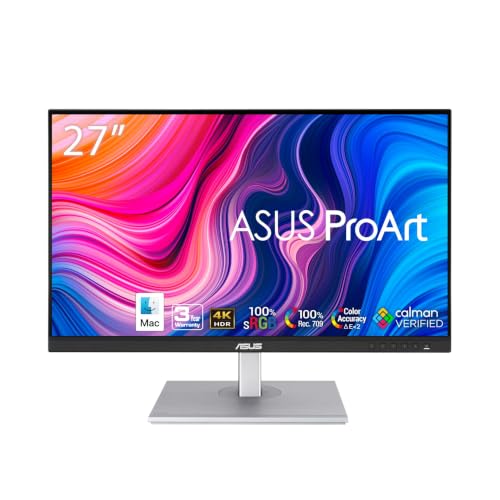
The ASUS ProArt PA279CV is the best color-accurate 4K monitor for creative professionals — 100% sRGB, 100% Rec.709, factory calibrated to ΔE<2, and USB-C with 65W charging.
What We Love
- 100% sRGB and 100% Rec.709 coverage with hardware calibration ensures production-ready color
- USB-C with 65W power delivery covers most USB-C laptops without a separate charger
- Pantone and Calman validated color accuracy certification for professional workflows
Reasons to Skip
- 60Hz refresh rate limits dual-use as a gaming display after hours
- Design is utilitarian rather than elegant — not the prettiest monitor in the lineup
The Numbers
“The ASUS ProArt PA279CV is the best color-accurate 4K monitor for creative professionals — 100% sRGB, 100% Rec.709, factory calibrated to ΔE<2, and USB-C with 65W charging.”

Review · 04
ASUS ProArt PA278QV 27" WQHD
A professional-grade 27" QHD IPS monitor with Calman-Verified ΔE<2 color accuracy, 100% sRGB/Rec.709, a frameless design, built-in speakers, and full tilt/pivot/swivel/height adjustability — ideal for creative work.
What We Love
- Factory-calibrated ΔE<2, 100% sRGB/Rec.709
- Full ergonomic stand + USB hub
- Excellent value for color-accurate work
Reasons to Skip
- 60Hz — not for high-refresh gaming
- QHD, not 4K
The Numbers
“A professional-grade 27" QHD IPS monitor with Calman-Verified ΔE<2 color accuracy, 100% sRGB/Rec.709, a frameless design, built-in speakers, and full tilt/pivot/swivel/height adjustability — ideal for creative work.”

Review · 05
Acer Nitro KG271U 27" QHD 180Hz
A high-performance 27" QHD IPS gaming monitor with a 180Hz refresh rate, 0.5ms response, AMD FreeSync, 95% DCI-P3, HDR10, built-in speakers, and a 3-year warranty — exceptional value for gaming and content.
What We Love
- 180Hz / 0.5ms IPS for fast, smooth gaming
- 95% DCI-P3 with HDR10
- 3-year warranty, great price
Reasons to Skip
- HDR is HDR10 entry-level
- Stand is tilt-only
The Numbers
“A high-performance 27" QHD IPS gaming monitor with a 180Hz refresh rate, 0.5ms response, AMD FreeSync, 95% DCI-P3, HDR10, built-in speakers, and a 3-year warranty — exceptional value for gaming and content.”

Review · 06
Philips 271V8LB 27" FHD 100Hz
An outstanding-value 27" Full HD VA panel with 100Hz, 4ms response, 3000:1 contrast, a virtually bezel-free 3-sided design, LowBlue mode, flicker-free tech, and a 4-year advance-replacement warranty.
What We Love
- 100Hz VA panel with deep 3000:1 contrast
- Frameless 3-sided design
- 4-year advance-replacement warranty
Reasons to Skip
- 1080p resolution at 27"
- VA viewing angles trail IPS
The Numbers
“An outstanding-value 27" Full HD VA panel with 100Hz, 4ms response, 3000:1 contrast, a virtually bezel-free 3-sided design, LowBlue mode, flicker-free tech, and a 4-year advance-replacement warranty.”

Review · 07
Dell UltraSharp U2723QE 4K
A premium 27" 4K IPS Black hub monitor with a built-in USB-C dock, RJ45 Ethernet, and exceptional contrast and color accuracy — the cleanest single-cable setup for a serious productivity desk.
What We Love
- IPS Black panel doubles contrast for deeper blacks
- Built-in USB-C hub with 90W PD and RJ45 Ethernet
- Factory-calibrated color, full ergonomic stand
Reasons to Skip
- Premium price
- 60Hz — built for work, not gaming
The Numbers
“A premium 27" 4K IPS Black hub monitor with a built-in USB-C dock, RJ45 Ethernet, and exceptional contrast and color accuracy — the cleanest single-cable setup for a serious productivity desk.”

Review · 08
Samsung ViewFinity S8 27" 4K (S80UH)
A 27-inch 4K work monitor with USB-C 90W charging, built-in Ethernet and KVM switch, HDR10+, and a height-adjustable ergonomic stand — a one-cable laptop setup in a screen.
What We Love
- USB-C with 90W charging + Ethernet
- Built-in KVM switch
- Height-adjustable stand
Reasons to Skip
- 60Hz — not for fast gaming
- HDR is entry-level
The Numbers
“A 27-inch 4K work monitor with USB-C 90W charging, built-in Ethernet and KVM switch, HDR10+, and a height-adjustable ergonomic stand — a one-cable laptop setup in a screen.”

Review · 09
ASUS TUF VG27AQ1A 27" 1440p 170Hz
A 27-inch 1440p IPS monitor with a 170Hz refresh rate and G-SYNC compatibility — sharper than 1080p for work and fast enough to double as a gaming display.
What We Love
- 1440p IPS — sharp text at 27 inches
- 170Hz for smooth motion and gaming
- Strong value for the price
Reasons to Skip
- Not 4K
- No USB-C connection
The Numbers
“A 27-inch 1440p IPS monitor with a 170Hz refresh rate and G-SYNC compatibility — sharper than 1080p for work and fast enough to double as a gaming display.”
How We Judge Computer Monitors
Panel Type: IPS vs. VA vs. OLED
IPS panels offer wide viewing angles and accurate color reproduction, making them the default choice for creative professionals and programmers. VA panels deliver deeper blacks and higher contrast ratios but suffer from slower response times and color shift at wide angles. OLED monitors provide per-pixel lighting with infinite contrast and instant response, but they carry a premium price and risk of burn-in with static UI elements. For mixed productivity work, a high-end IPS panel gives the best all-around experience.
Color Accuracy and Calibration
If you do photo editing, video work, or design, aim for a monitor covering at least 99% sRGB and ideally 95% DCI-P3 with a Delta E under 2. Factory calibration saves you from buying a separate colorimeter — many professional monitors ship with individual calibration reports. For general productivity and coding, sRGB coverage above 95% is sufficient and color accuracy matters less than resolution and refresh rate.
Refresh Rate and Response Time
60 Hz is fine for spreadsheets and documents, but even for productivity work, a 120 Hz or 144 Hz panel makes scrolling, window dragging, and cursor movement noticeably smoother. Response time (measured in ms) determines how quickly pixels transition, affecting motion clarity. IPS panels typically achieve 5 ms GtG, while OLED hits under 1 ms. For creative professionals who also game, a 144 Hz IPS or OLED panel covers both use cases.
Connectivity and Ergonomic Stand
A single USB-C cable that carries video, data, and 90W+ power delivery simplifies your cable setup enormously — you can dock a laptop with one plug. HDMI 2.1 and DisplayPort 1.4 are necessary for 4K at high refresh rates. Built-in USB hubs and KVM switches add practical value. For the stand, look for height adjustment, tilt, swivel, and pivot (rotation to portrait mode). If you plan to use a monitor arm, a VESA-compatible mount is essential.