Choosing a desk mat comes down to three things: a size that fits your actual keyboard, mouse movement, and desk layout; a surface that matches how you work (precise cloth for mouse-heavy work, wipe-clean leather for coffee and paperwork); and an edge and base that keep the mat flat and in place for years. Measure first, pick the surface second, and check the construction last.
Want our ranked shortlist? See the best desk mats.
Our review page covers the standard material, size, stitching, and grip basics. This guide goes into the details that decide whether a mat works on your specific desk: how to size it from your gear, how thickness changes the feel, and the setup problems people only discover after unrolling.
What to Measure Before You Buy#
Your keyboard and mouse zone#
Start with what sits on the mat, not with the desk. A full-size keyboard is typically around 17 to 18 inches wide, a tenkeyless board around 14 inches, and a compact 65 or 75 percent board less still. Add the space your mouse actually travels. If you use a low sensitivity setting and move your whole arm, you may need 10 inches or more of mouse room; if you flick with your wrist, much less. That combined width, plus a few inches of margin, is your minimum mat width.
Usable desk area#
Now measure the desk, but only the part the mat can cover. Monitor stand feet, clamp-mounted monitor arms, desk lamps, and speakers all take space. A mat that runs under a monitor foot will develop a permanent dent, and one that hits a clamp will buckle. Measure the clear rectangle in front of your monitor and keep the mat a little smaller than that space.
Depth for your forearms#
Mat depth decides whether your forearms and wrists rest on the soft surface or on the hard desk edge. A shallow mat around 12 inches deep covers the keyboard and mouse but leaves your wrists hanging off the front. A deeper mat around 16 to 20 inches gives your forearms somewhere to rest and covers space for a notebook.
Thickness#
Thickness changes how the mat feels and how it behaves. Thick cloth mats around 4mm, like the Corsair MM350 PRO and SteelSeries QcK XXL, cushion your wrists and lie flat but are soft under a pen. Thin leather mats around 0.1 inch, like the Satechi, feel firm and work well as a writing surface but offer little cushioning.
The Decision Axes and Trade-offs#
Tracking versus cleanup#
Cloth micro-weave surfaces give a mouse sensor the most consistent texture, which is why gaming mats use them. PU and vegan leather wipe clean in one pass and resist spills better, but feel slicker under a mouse. Decide which failure you would rather live with: a cloth mat that needs spot-cleaning after a spill, or a leather mat that is slightly less precise.
Speed versus control#
Within cloth mats there is a further split. Tighter, smoother weaves let the mouse glide faster; slightly textured weaves add a little drag that helps stop the cursor precisely. If you mostly do office work, this barely matters. If you game or do detailed design work, it is worth paying attention to the surface description.
Coverage versus clutter#
Bigger mats look cleaner and protect more of the desk, but an oversized mat that runs under monitor stands, lamps, and clamps causes more problems than it solves. Full coverage is best on a desk with a monitor arm, where nothing needs to sit on the mat.
Writing versus typing#
If you write by hand at your desk, firm PU leather is the better surface. Pens dig into soft cloth and leave you writing on a cushion. If you never write on the desk, the softer cloth feel is usually more comfortable for long typing sessions.
Office look versus gaming look#
Many of the best cloth mats come from gaming brands and carry gaming branding. Leather mats in neutral colors look more at home in an office or on video calls. It is a small thing, but you will look at it every day.
Budget Tiers: What You Gain as You Move Up#
Budget. Thin PU or PVC leather pads in standard sizes. You gain desk protection, a wipe-clean surface, and a big visual upgrade. You give up cushioning, and thin coatings tend to wear first at the spot where your wrists rest.
Mid-range. Extended cloth mats with stitched edges and rubber bases, and larger stitched leather mats. You gain full keyboard-and-mouse coverage, edges that do not fray, and a base that stays put. This is where most people get the best value.
Premium. Thick, extended cloth mats with spill-resistant surfaces and warranties, and minimalist vegan-leather mats with reinforced stitching. You gain durability, a more refined feel, and support from the maker. The core function is the same; you pay for longevity and finish.
Common Mistakes#
Ordering by listed size without checking orientation and units. Mat sizes are listed as width by depth, sometimes in millimeters. The SteelSeries QcK XXL is listed at 900 by 400mm, which is about 35.4 by 15.7 inches. Convert before you compare.
Laying the mat under monitor feet or clamps. This dents the surface and lifts the edges. Keep heavy objects off the mat or move to a monitor arm.
Expecting a new mat to lie flat immediately. Mats usually ship rolled, and leather mats like the Gallaway and YSAGi note they need a day or two to flatten. Unroll it, roll it the opposite way briefly if needed, and let it rest flat under some books.
Buying a small default size by accident. Some budget pads, like the Aothia, list a smaller default size with larger options available. Check the exact variant you are adding to your cart.
Skipping the edge check. An unstitched cloth edge is where fraying starts. If you choose cloth, look for stitched or anti-fray edges.
Drying a rubber-backed mat with heat. Heat warps rubber bases. Clean it, then let it air-dry flat.
Picks by Need#
For a full keyboard-and-mouse setup. The Corsair MM350 PRO Extended XL is a 36.6 by 15.7 inch micro-weave cloth mat with 4mm plush rubber, 360-degree anti-fray edges, a spill-proof surface, and a two-year warranty. It suits most desks where the mat covers the whole working zone.
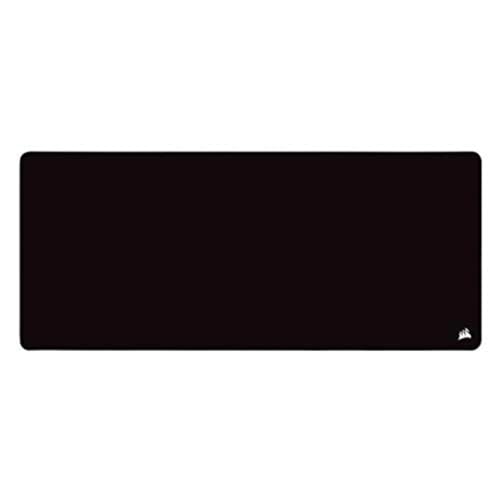
Corsair MM350 PRO Extended XL
Editor’s ChoiceThe Corsair MM350 PRO Extended XL is an oversized spill-proof desk mat with 4mm-thick plush rubber, a micro-weave cloth surface for smooth mouse glide, and 360 anti-fray stitched edges.
For mouse precision. The SteelSeries QcK XXL uses QX2 micro-weave cloth on a 900 by 400mm, 4mm-thick base with stitched edges, and SteelSeries lists the anti-slip rubber base as working on glass and polished surfaces. It is for gamers and detailed mouse work.

SteelSeries QcK XXL
Best ValueThe SteelSeries QcK XXL is the best gaming-grade extended desk mat — a massive 900×400mm surface with a QX2 micro-weave cloth that rival pads struggle to match.
For maximum leather coverage. The CENNBIE XL is a 39.3 by 19.6 inch PU leather mat with stitched edges and an anti-slip base. Pick it if you want room for a keyboard, mouse, and notebook with a wipe-clean surface.

CENNBIE XL Leather Desk Mat (39.3 x 19.6 in)
An extra-large PU leather desk pad with stitched edges and an anti-slip base that covers keyboard, mouse, and notebook space — easy to wipe clean.
For a clean office look on a compact setup. The Satechi Vegan-Leather Desk Mat is 26.8 by 12.4 inches and 0.1 inch thick, with reinforced stitching and a scratch- and water-resistant surface. It fits a minimalist desk with a compact keyboard or a laptop stand.

Satechi Vegan-Leather Desk Mat
A minimalist vegan-leather desk mat with reinforced stitching, a scratch- and water-resistant surface, and a non-slip base — sized for a keyboard, mouse, and laptop stand.
For the lowest-cost upgrade. The Aothia PU Leather Desk Pad is waterproof, wipes clean, and has a non-slip suede backing, with sizes up to 48 by 17 inches. It is a good first mat or second-desk mat, as long as you pick the size you need.

Aothia PU Leather Desk Pad
Best ValueThe Aothia desk pad is one of the most popular desk mats — a smooth PU-leather surface with a grip-enhanced suede backing, fully waterproof, and an unbeatable entry price.
FAQ#
Can you use a desk mat on a glass desk?#
Yes, and a glass desk is where a mat helps most. Many optical mouse sensors struggle on bare glass, and a mat gives them a consistent surface. Choose one with a rubber base rated for smooth surfaces so it does not slide; SteelSeries, for example, lists the QcK XXL base as working on glass.
How do I get a new desk mat to lie flat?#
Unroll it on the desk, place a few heavy books on the curled ends, and leave it for a day or two. For stubborn curls, briefly roll it in the opposite direction first. Avoid heat guns or hair dryers, since heat can warp the rubber or damage a leather coating.
Can you write on a desk mat?#
On a firm PU or vegan-leather mat, yes, and many owners use one as a writing surface. On a soft cloth mat, writing is awkward because the pen sinks into the surface. If you take handwritten notes daily, choose leather, or keep a hard notebook or clipboard on top of a cloth mat.
Should my keyboard sit on the desk mat?#
Usually yes. A mat under the keyboard keeps its feet from scratching the desk, stops it from sliding, and softens typing noise a little. A thick cloth mat raises the keyboard slightly and can make it feel a touch softer, so if you prefer a very firm base, choose a thinner leather mat.
When you are ready to compare specific models, see our ranked list of the best desk mats.